
Installing Smartform
Introduction
The SmartForm database is a comprehensive and up-to-date source of horseracing form for all races run in the UK and Ireland. The database service consists of two main components:
1. The SmartForm Historic database
This SQL database contains data for horseracing results in the UK and Ireland, detailing race and runner attributes, from January 1st 2003 to the date of purchase.
2. The SmartForm Daily Updates service
This brings the historic database up to date beyond the date of purchase on every day’s racing, and supplies results and racecards on a daily basis. Once configured this service provides for:
- automatically updating the historic database with the previous day’s results
- and automatically updating the database with daily racecards prior to racing, for all UK and Irish meetings.
We have an updater tool that can be easily configured to keep your SQL data current.
Additional data products
On top of the historic data, we also offer a set of data sets to support your use of the data, including for interacting with Betfair. We are developing more of these data sets over time.
A new AI primer
We’ve put together some resources specifically to help an AI assistant work effectively with Smartform. You can read about them below.
Cross-platform use with MySQL
One of the main benefits of the SmartForm database is that is designed for use with MySQL, a widely-supported open source SQL database, giving you flexible, programmatic access to all the data in all common operating systems. It is updated automatically, so that you don’t have to spend time maintaining your records.
This provides a cross-platform data solution and the widest set of third-party database tools available.
Installing MySQL is straightforward, only needs to be done once, and allows you access to the data from a wide variety of programming languages and analytical tools.
For desktop users on Mac and Windows we also provide instructions on how to install MySQL Workbench, Oracle's desktop application for managing and querying MySQL databases.
Our automatic updater tool is a small cross-platform application that works essentially identically across the three platforms (with a friendly installer for Windows).
Please note that the SmartForm data, database formats, and documentation are licensed from original sources for personal use only. The data and database documentation is not for redistribution, publication or resale.
A three-step installation process
1. Install MySQL Server
The Smartform data products are SQL databases designed for Oracle's MySQL Server.
Our documentation takes you through installing the free Community Edition of MySQL Server.
2. Install the Smartform data
The next step involves installing the SQL databases themselves into the MySQL server.
Our documentation takes you through downloading the data, creating the empty database, creating database users and loading the data.
For Linux, we describe a process using the command line utilities.
For macOS and Windows desktop users we describe a process using MySQL Workbench.
3. Install the updater utility
If you have purchased a subscription to the Smartform updates service, the final step involves installing and configuring our utility for fetching and maintaining the data, and setting up schedules to run the utility to regularly fetch data.
The utility is cross-platform in design and works in fundamentally the same way on all platforms.
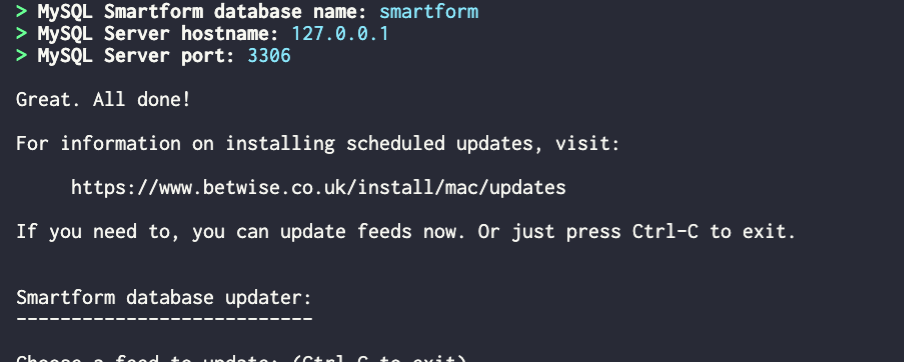
For Windows we describe the use of an installer that can automate this process.
For macOS and Linux users, we describe how to download the updater utility and schedule your updates using a crontab.
New tool: the Smartform AI primer
When we launched the Smartform database in 2007, working directly with racing data generally meant being comfortable with SQL or another programming language. That technical barrier has become much lower.
AI assistants such as ChatGPT, Claude and Gemini can now translate ordinary racing questions into the SQL needed to investigate them. This means you can concentrate much more on the racing question itself, while the AI helps with the mechanics of querying and analysing the database.
That is a particularly good fit for Smartform. Rather than asking an AI for its opinion about a racing angle, you can ask it to help you test the idea against the actual Smartform data.
We’ve put together two resources specifically to help an AI assistant work effectively with Smartform.